
Bank Reconciliation in Tally and Accounting Software: How to Identify Timing Differences and Errors
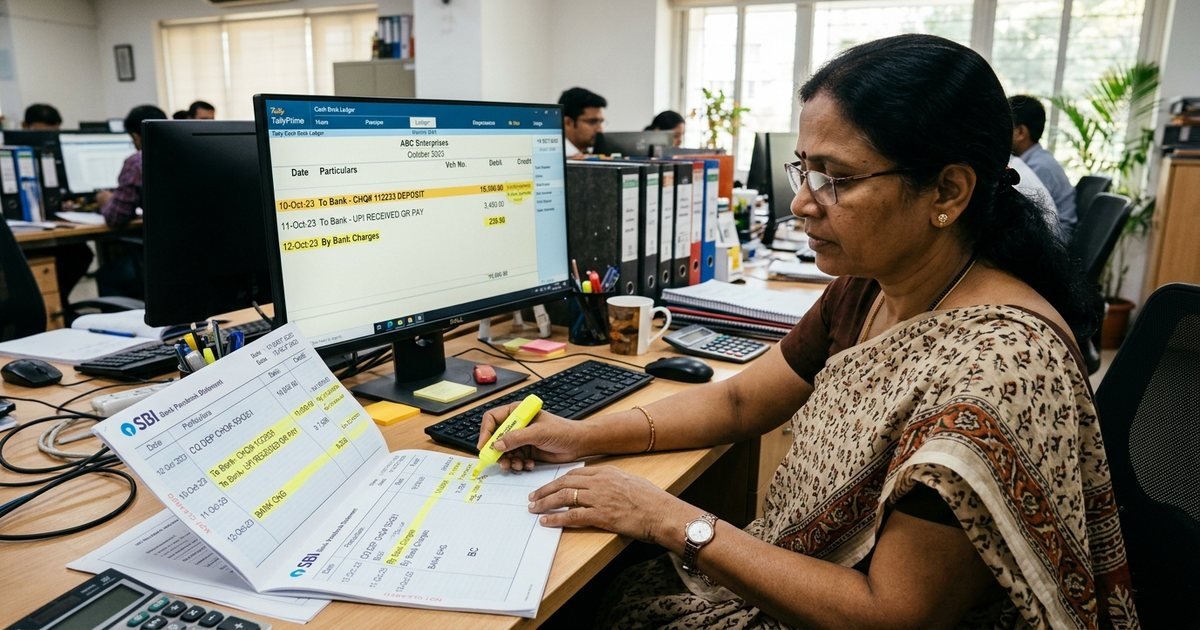
A Bank Reconciliation Statement (BRS) is a financial schedule that explains and reconciles the variance between the bank balance shown in a company's internal cash/bank ledger and the balance reported in the bank passbook or statement. Differences arise primarily from timing variances (unpresented cheques, uncredited deposits) and direct bank transactions (bank charges, interest credits, ECS/NACH loan debits, customer direct deposits). Reconciling monthly ensures financial integrity and prevents fraud.
The Vital Role of Bank Reconciliation in Corporate Financial Controls
In corporate bookkeeping, the bank ledger in your accounting software and your physical bank account statement represent two independent records of the exact same financial transactions. Yet, at any given month-end, the closing balances in these two records almost never match.
A Bank Reconciliation Statement (BRS) is the foundational internal control schedule that systematically bridges this gap. Preparing a timely BRS prevents fraudulent diversions, identifies bank overcharges, ensures statutory compliance, and provides management with true, actionable cash visibility.
Learn more about our outsourced Bookkeeping & Accounting Management.
1. The Anatomy of Discrepancies: Timing Differences vs Accounting Errors
Reconciliation discrepancies fall into three distinct functional categories:
| Discrepancy Type | Common Examples | Accounting Treatment Required |
|---|---|---|
| Timing Differences: Debited in Books, Pending in Bank | Cheques issued to vendors but not yet presented for payment | No ledger voucher needed; resolved upon clearance in BRS |
| Timing Differences: Credited in Books, Pending in Bank | Cheques deposited in bank dropbox but awaiting clearing credit | No ledger voucher needed; resolved upon clearance in BRS |
| Direct Bank Transactions | Bank service charges, loan interest, NACH/ECS mandate debits, UPI inward credits | Mandatory: Create bank payment/receipt vouchers in accounting software |
| Accounting Errors | Duplicate entry of payments, wrong ledger posting, transposed numbers (e.g. ₹5,400 entered as ₹4,500) | Rectify erroneous vouchers in accounting software |
2. Step-by-Step BRS Process in Tally Prime
Tally Prime provides both manual and electronic bank reconciliation workflows:
Manual BRS Workflow:
- Navigate to Gateway of Tally > Banking > Bank Reconciliation.
- Select the specific Bank Ledger to view the transaction schedule.
- Press F5 (Reconcile) to display the Bank Date column alongside the voucher date.
- Compare each line with your physical bank passbook or e-statement. Enter the actual date the cheque or transfer cleared the bank.
- Watch the Balance as per Company Books and Balance as per Bank synchronize. The "Difference" line must reach zero.
Auto BRS Workflow (Using Bank E-Statements):
- In the Bank Ledger Master, set Enable Auto BRS to "Yes" and select your bank.
- Download the monthly statement from net banking in `.xlsx`, `.csv`, or `.xml` format.
- Open the BRS screen in Tally Prime, click Alt + B (Bank Statement), and import the downloaded file.
- Tally will auto-match transactions based on Cheque/UTR reference numbers and amounts, displaying an instant summary of matched and unmatched rows.
3. Dealing with Stale Cheques and Unidentified Credits
Stale Cheques (> 90 Days):
Under the Negotiable Instruments Act, cheques are valid for only 3 months. If a cheque issued to a vendor has not been presented within 90 days, it becomes legally stale:
- Reverse the payment voucher by debiting the Bank Ledger and crediting the Creditor Account.
- Re-issue a fresh cheque or initiate a direct NEFT/RTGS transfer upon re-confirmation.
Unidentified Customer Credits:
Direct UPI or RTGS deposits without customer reference numbers must be parked in a dedicated Suspense / Unidentified Receipts Ledger until matched against sales orders. Never leave them unaccounted in BRS.
4. Month-End Reconciliation Governance Checklist
- Complete BRS on or before the 5th of every month for the preceding period.
- Ensure bank charges and interest certificates are downloaded and booked under proper expense/income heads.
- Verify that overdraft (OD) or cash credit (CC) limit interest matches the bank's sanctioned interest rate.
- Obtain a formal sign-off from the Finance Manager and attach the BRS to the monthly management reporting pack.
For professional bookkeeping clean-up and accounting automation, consult the D BIZ Accounting Desk.
Frequently Asked Questions

Akash P R
Business Consultant10 Years+ Experience in Startup Consultancy, Direct Tax, Indirect Tax and Compliances • D BIZ CONSULTANCY
Business Consultant with 10 Years+ Experience in Startup Consultancy, Direct Tax, Indirect Tax and Compliances.
Connect with Akash on LinkedInOther Strategic Business Guides
GST Registration Documents in Kerala: How to Avoid Application Rejection
8 min readGST & TaxationGSTR-2B Reconciliation with Purchase Register: How to Match Invoices and Protect ITC
9 min readCompany Law & MCAAOC-4 vs MGT-7: Annual MCA Filing Requirements for Indian Companies Explained
8 min readLLP ComplianceLLP Form 8 and Form 11: Annual Compliance Checklist, Timelines and Late Fee Risks
7 min readLatest Regulatory Bulletins
Speak With Our Senior Business Consultants in Trivandrum & Kochi
D BIZ CONSULTANCY PVT. LTD. provides end-to-end company formation, ROC filings, GST accounting, trademark protection, and statutory compliance. Connect with us for personal advisory at our physical offices or 100% paperless digital onboarding.